
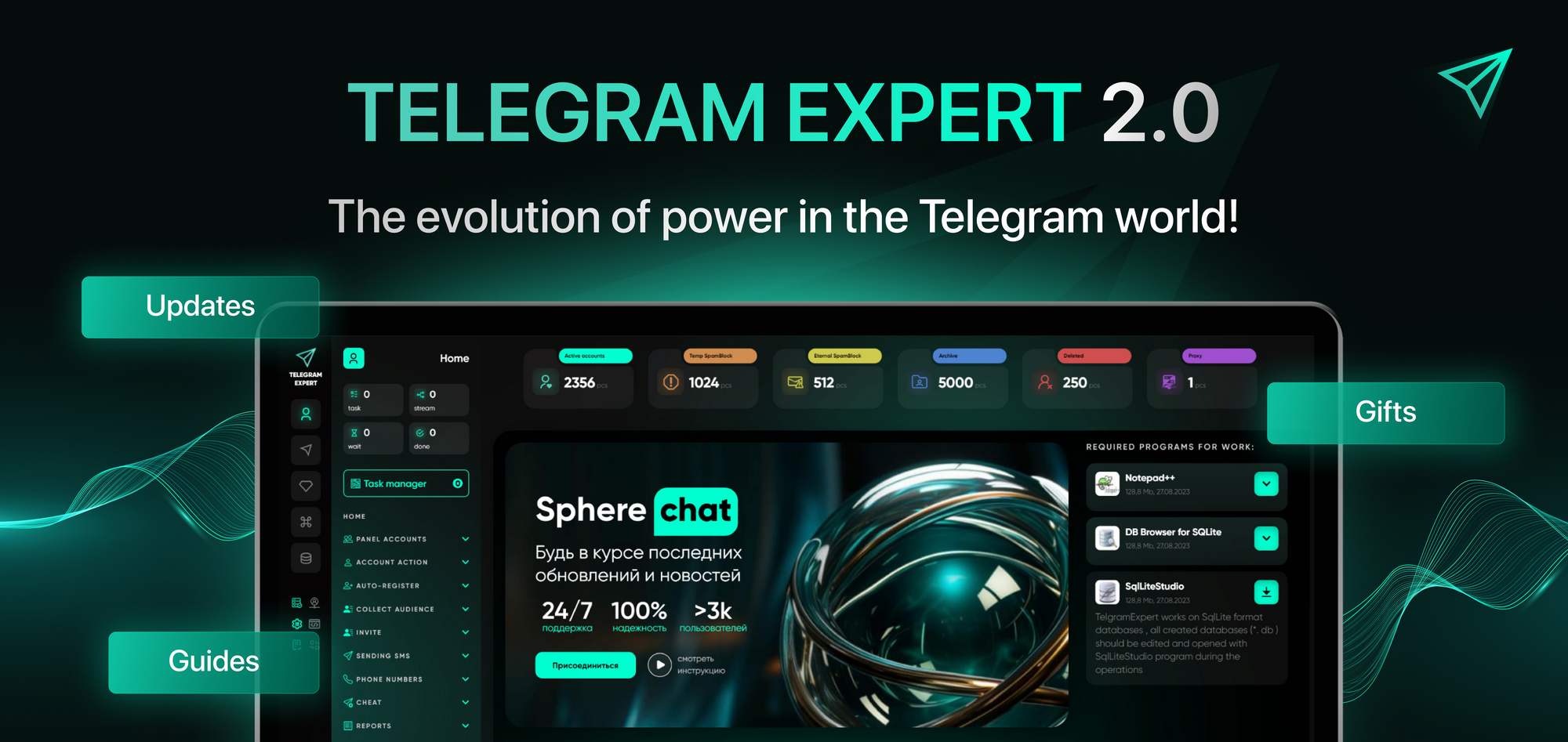
Telegram without chaos: how professionals automate accounts, messaging, and project growth
Working in Telegram stopped being simple a long time ago. If you are scaling, you have almost certainly faced the fact that:
- accounts suddenly get hit with a spam block,
- some sessions “die,” while others live their own life,
- broadcasts get less and less response and more and more restrictions,
- the audience is collected manually and quickly becomes outdated,
- routine actions eat up hours, and sometimes days.
The problem here is not Telegram as a platform. The problem is a chaotic approach.
Telegram does not forgive non-systematic work. When accounts, proxies, broadcasts, invites, and databases are created and run through different solutions, you lose control. And along with it - stability and money.
That is why you need to work with Telegram as a system, not as a messenger.
That is exactly why Telegram Expert was created - not as mailing software, but as a professional ecosystem that covers the entire cycle of work: from account registration to analytics and scaling.
What proper Telegram work looks like in practice
Step 1. Put accounts and infrastructure in order
When working with a large number of Telegram accounts, the user loses control: it is unclear which sessions can be launched, which are already restricted, and which simply have not been checked for a long time. Usually this is solved by manual checks, opening accounts one by one, or maintaining spreadsheets - which does not scale and quickly leads to mistakes.
In Telegram Expert, control is built through an account panel with quick actions and a mass-work logic. At any moment the user sees the status of accounts and decides how to distribute them - by statuses or according to their own workflow.
Key modules and capabilities:
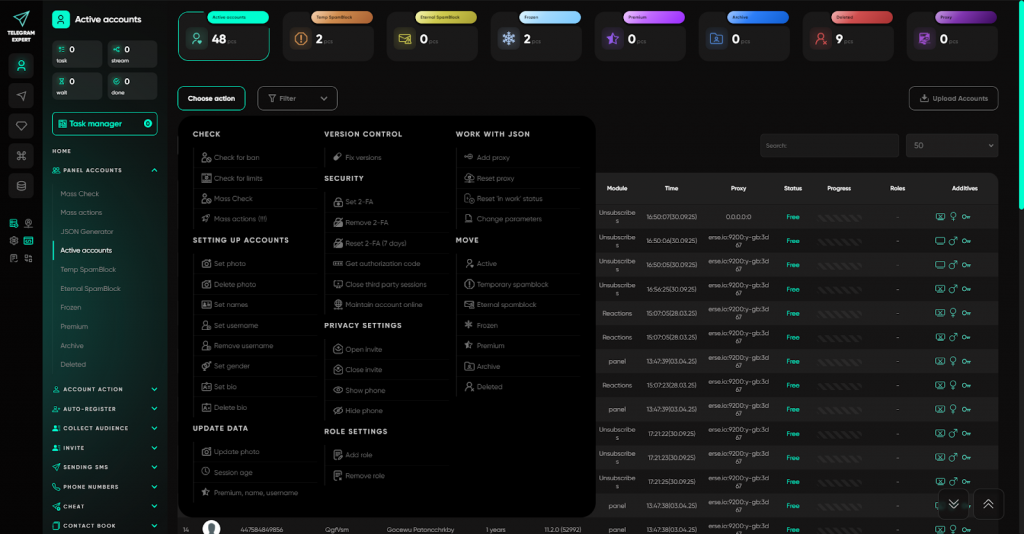
Account folders and the action menu - each group has a single quick-action menu: you can select individual accounts or the whole folder and immediately run the required operations without switching between sections. Available actions with accounts: ban and restriction checks, setting/removing photos, name, username, and bio, setting and resetting 2FA, setting gender, keeping online, closing third-party sessions, privacy settings, adding/resetting proxies, moving between folders, updating data (age, Premium status), account self-destruction, deleting sessions and messages, and much more.
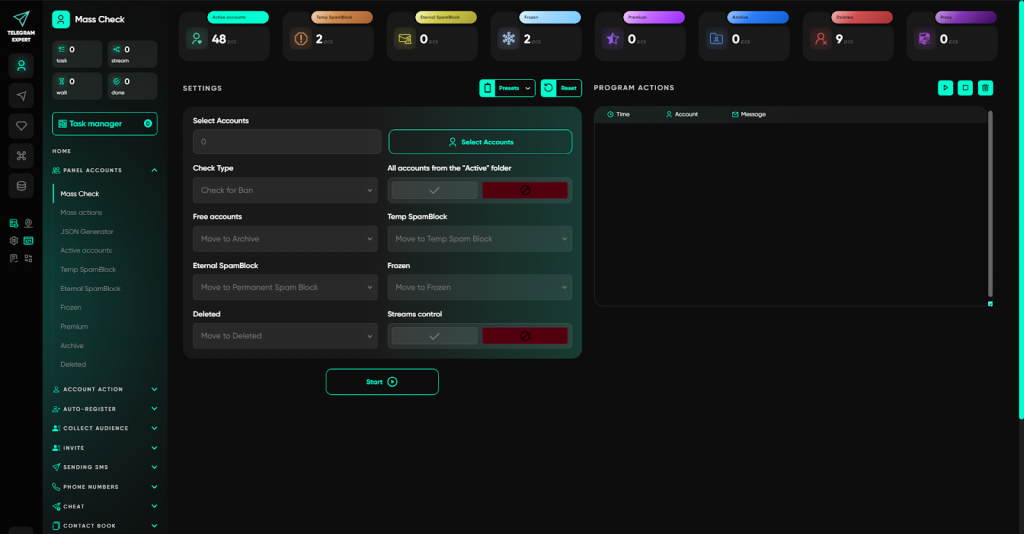
Mass check - allows you to check accounts for bans and restrictions and automatically move them to any folders: by statuses or into user-defined groups.
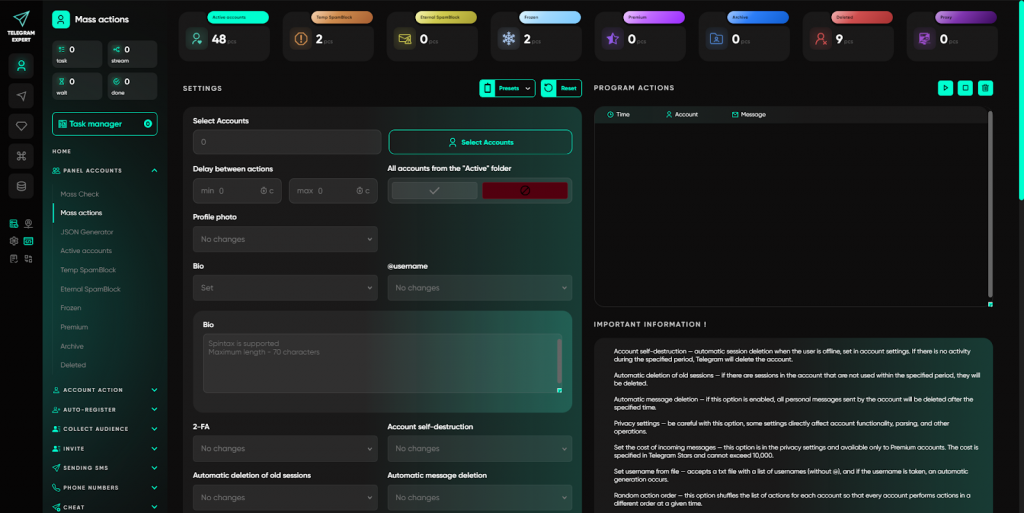
Mass actions - used for simultaneous data changes, security setup, session management, and other operations at once on selected accounts.
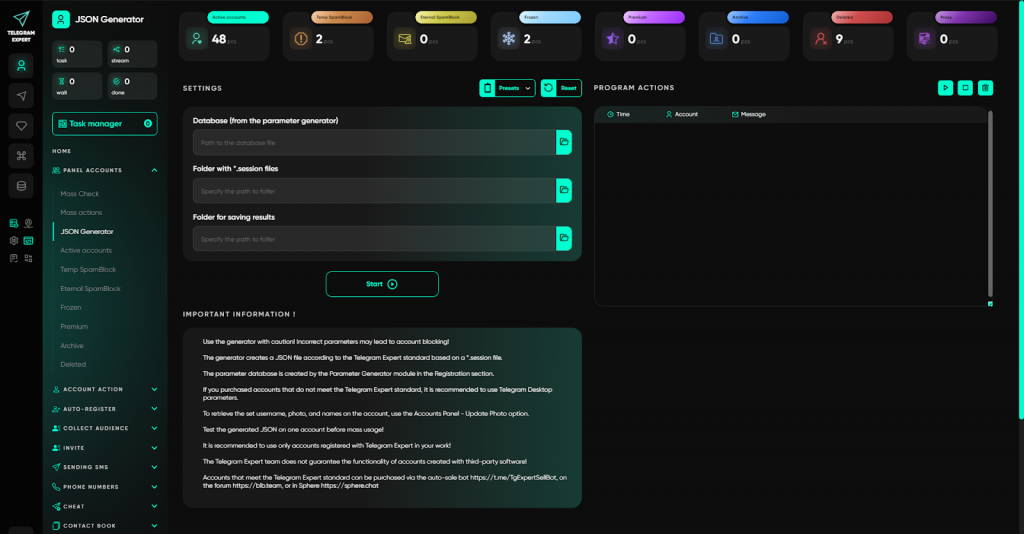
JSON Generator - allows you to create or restore a JSON file from Session if the data is missing or damaged, and bring the account back into full operation.
As a result, the user does not guess - they manage the account structure and all actions in one interface.
Step 2. Maintain accounts without manual routine
At scale, maintaining Telegram accounts quickly turns into routine: constant logins, manual clicks, dialog checks, and attempts to remove restrictions one by one. This usually takes hours and days, and some accounts simply sit idle or get lost.
In Telegram Expert, service tasks are moved into a separate section and performed centrally, without manual intervention in each account. The user runs the required operations in bulk and controls the process from one window.
Key modules of the “Account Actions” section:
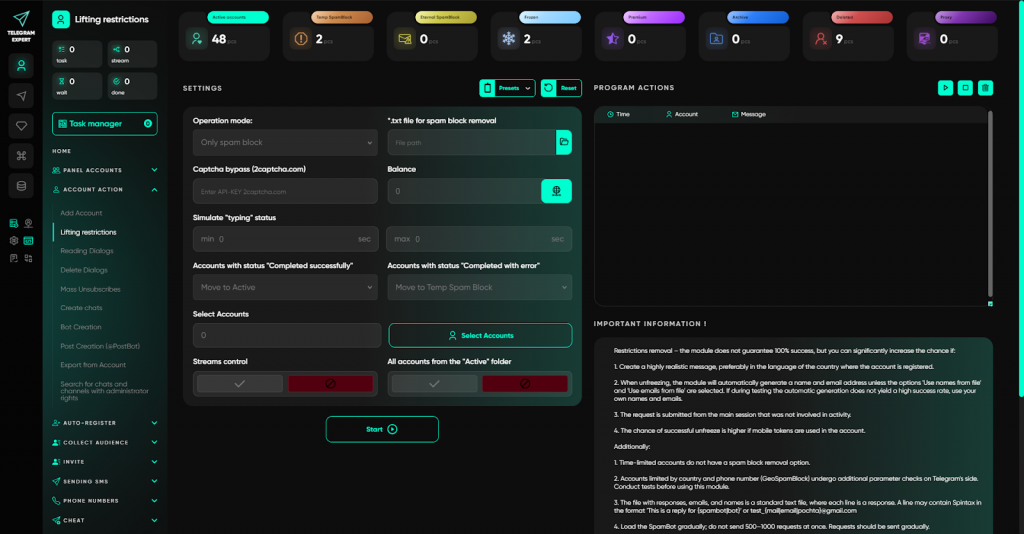
- Restriction removal - automatic attempts to remove spam blocks and freezes via SpamBot with data substitution and captcha support.
- Dialog work - bulk reading and deletion of dialogs, cleaning accounts before further work.
- Mass unsubscribes - leaving chats, channels, or everything at once that interferes with work.
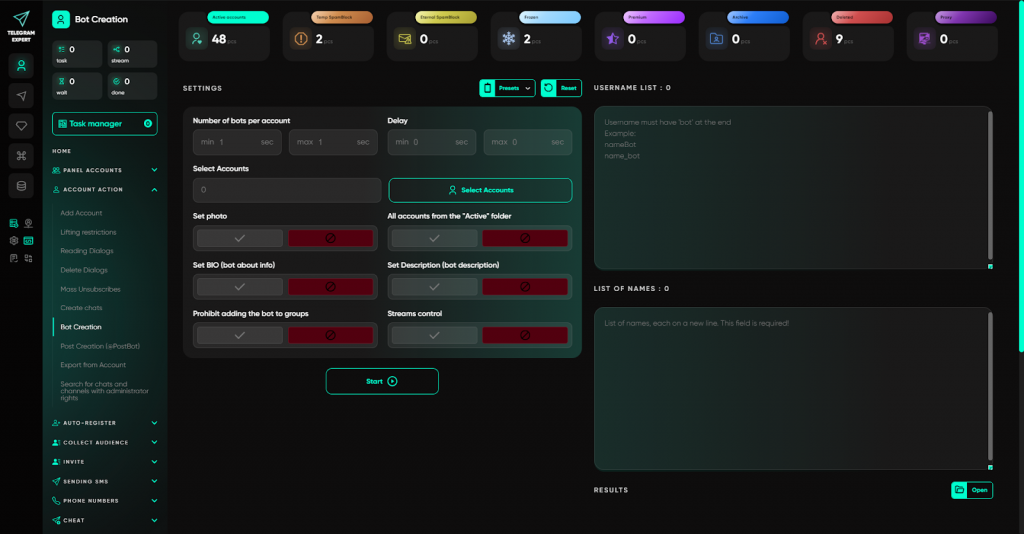
- Entity creation - launching the creation of chats, channels, posts, and bots at once on selected accounts.
- Data export - exporting information even from blocked accounts, without needing to log in.
- Admin rights search - quick search for chats and channels where accounts have admin or owner rights. There is an option to transfer rights by username.
Instead of manual routine and chaotic checks, the user maintains the account pool systematically and saves days of real time.
Step 3. Register accounts in bulk without pain
Registering Telegram accounts is one of the most unstable stages of work: requirements depend on the region, extra checks appear, captchas, and different phone-number verification scenarios. In manual mode this turns into a set of non-systematic attempts where every account is registered differently and the process cannot be reproduced at scale.
In Telegram Expert, registration is built as a single controlled process. The user works with a system where all registration stages are predefined and repeatable.
Key modules of the section:
- Parameter Generator - forms account parameters for registration and further work, with modes for small volumes and for mass tasks.
- Manual registration - registering accounts via physical SIMs with mobile device emulation and parameters from the generator.
- Registration via SMS services - automatic mass registration via integrated SMS providers with support for different code-receipt scenarios.
- Universal Registrar - registration via SMS services not integrated into the software, with flexible API and geo configuration.
- Registrar (text-links) - registration of accounts via text links using a parameters database.
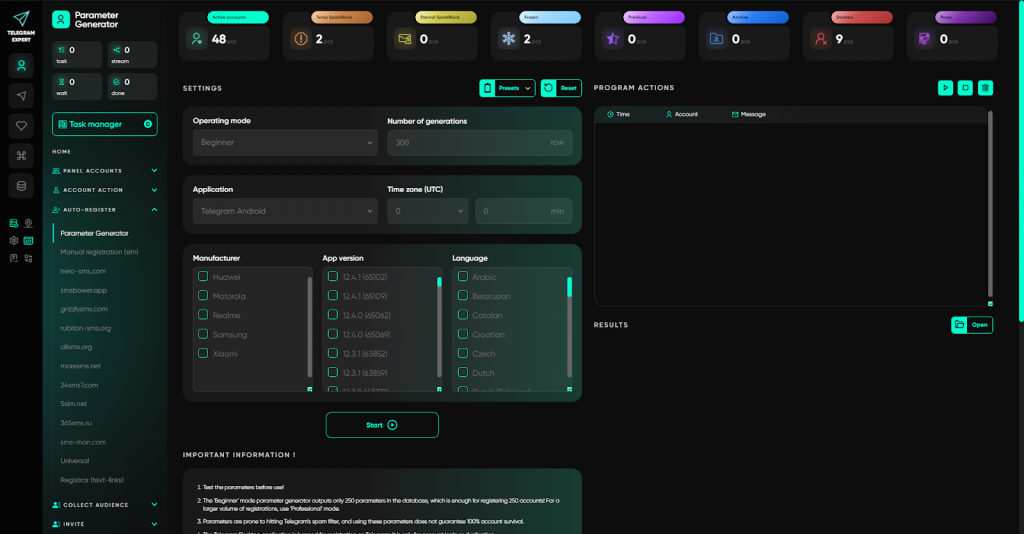
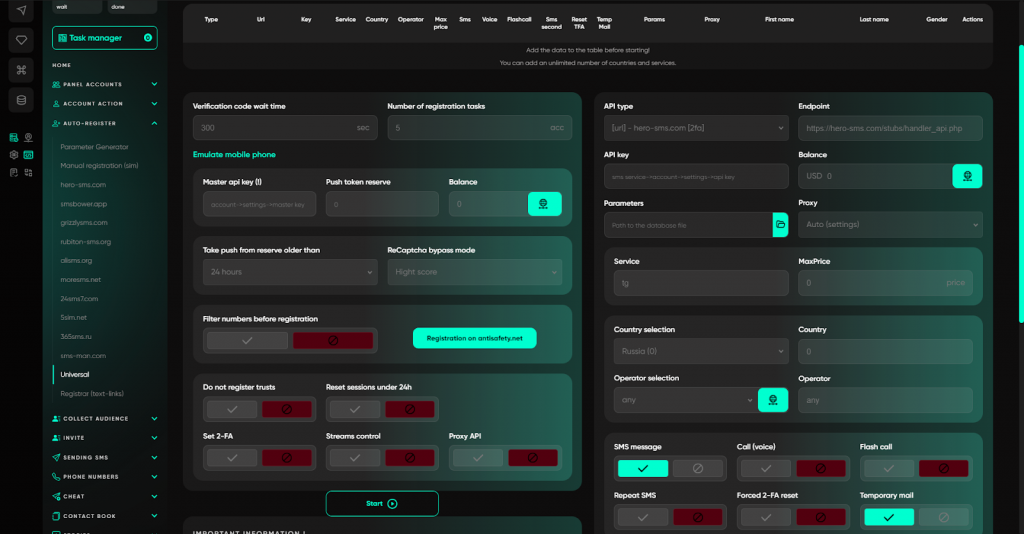
As a result, registration stops being chaotic: accounts are created by a single logic, under the required conditions, and at a controlled scale.
Step 4. Collect an audience thoughtfully
Mailings and invites do not work without a quality database. Collecting random user lists means wasting accounts and getting refusals instead of response. In manual mode it is difficult to filter an audience by language, activity, or geo, and duplicates and dead numbers only pollute the database.
In Telegram Expert, audience collection is not just a parser, but a tool for building target lists with specified parameters.
Key capabilities of the section:
- collecting users from chats, channels, and comments;
- filtering by language and activity;
- collecting those who wrote during a specified period (for example, in the last 30 days);
- global search taking the account geo into account;
- cleaning databases from duplicates and non-target entries;
- merging up to 5 databases into one;
- excluding one database from another (for example, so as not to collect already processed users);
- determining user gender via a neural network with accuracy over 75%.
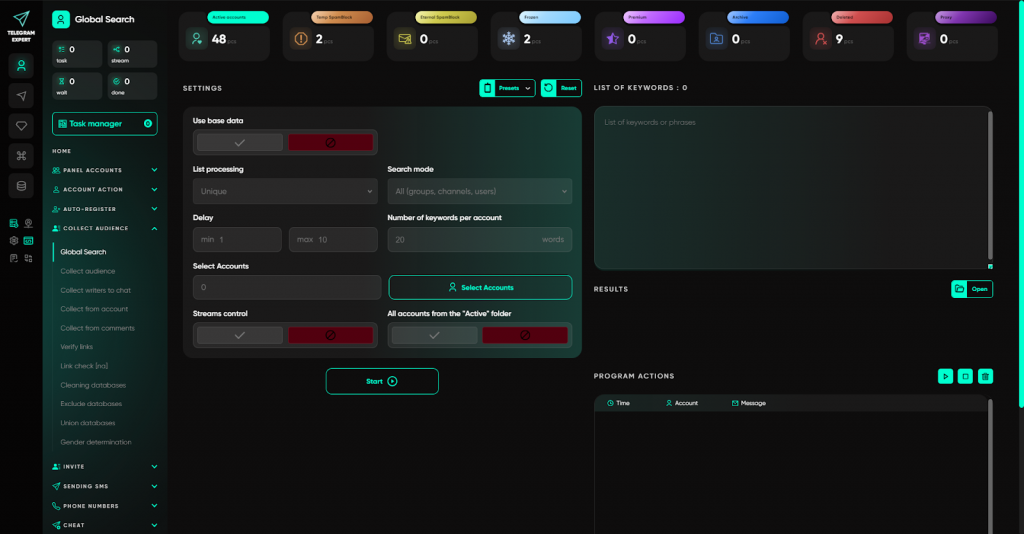
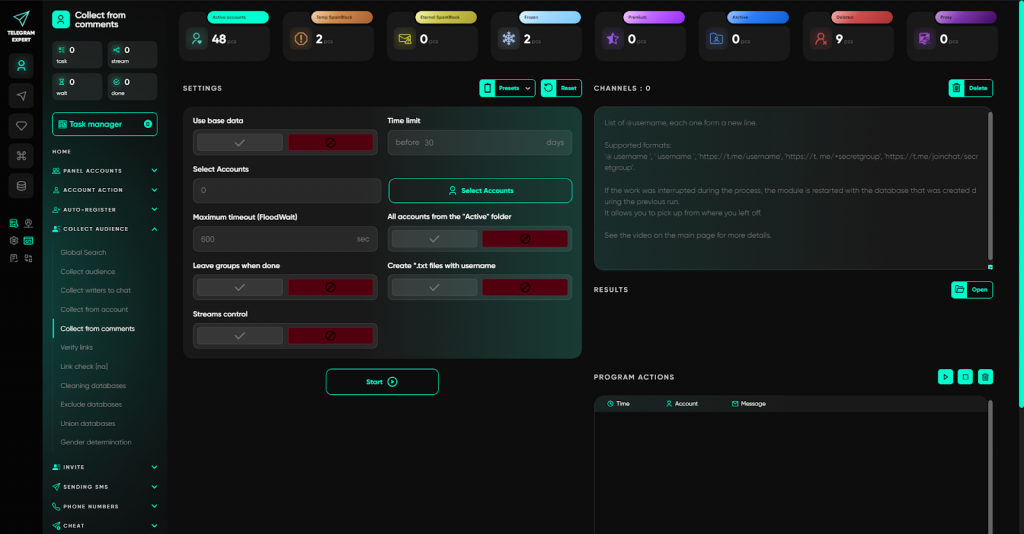
As a result, you work not with random lists, but with a current and relevant audience. This reduces the risk of blocks, increases the response rate, and makes the next steps - inviting or messaging - predictably effective.
Step 5. Safely invite users and grow communities
Inviting is one of the most sensitive zones in Telegram. Mass adding without preparation quickly leads to spam blocks and freezes. In manual mode it is hard to control limits, and when scaling, mistakes become systemic and accounts are lost.
In Telegram Expert, invites are built as a flexible system with multiple scenarios that let you choose the method for a specific task and protection level.
Key modules of the section:
- Invite V1 - classic inviting users to groups by usernames.
- Invite V2 - an improved version with forced quantity control, checking whether users are already in the group, and automatic leaving.
- Invite by ID - inviting by user identifiers when there are no usernames.
- Invite via admin V1 - temporarily assigning a user as an administrator, adding them to the group, and removing rights.
- Invite via admin V2 - the same mechanism, but rights assignment and removal are performed via bots, which additionally protects the main accounts.
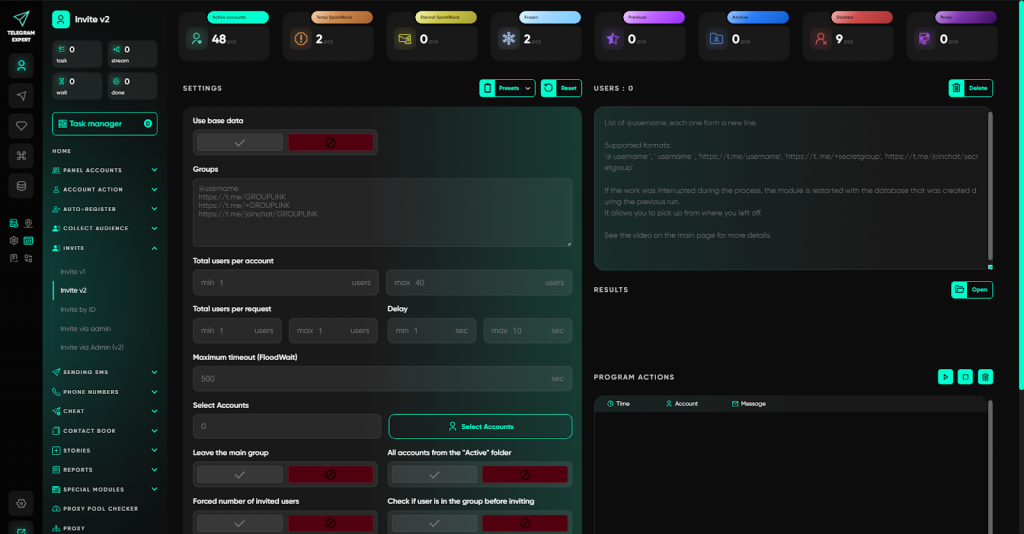
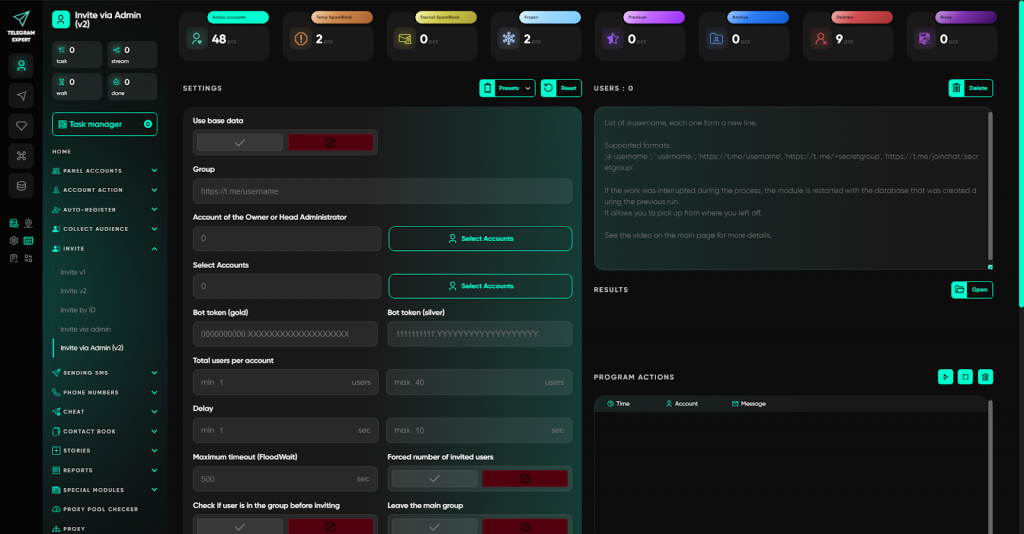
As a result, you do not just recruit participants - you manage the load, choose safe scenarios, and keep accounts working. Inviting stops being a lottery and becomes a predictable growth tool.
Step 6. Communication that does not look like spam
Template messages and identical broadcasts are a direct path to restrictions. Telegram quickly recognizes mass sends, and even a high-quality database will not help if the text repeats or looks bot-like. In manual mode it is impossible to unique-ify every message, and without that accounts get spam-blocked.
In Telegram Expert, the “Message Sending” section covers different communication scenarios, allowing you to flexibly adjust tone and content for the task.
Key modules of the section:
- personal messages by usernames, IDs, open dialogs, and contacts;
- autoposting into chats (any chats or only those the account is a member of);
- comments under posts (including neuro-commenting with generation via GPT);
- an autoresponder to incoming messages;
- a text randomizer (spintax) for uniqueness;
- GPT integration in all messaging types - messages are generated for each recipient or for the context of a post.
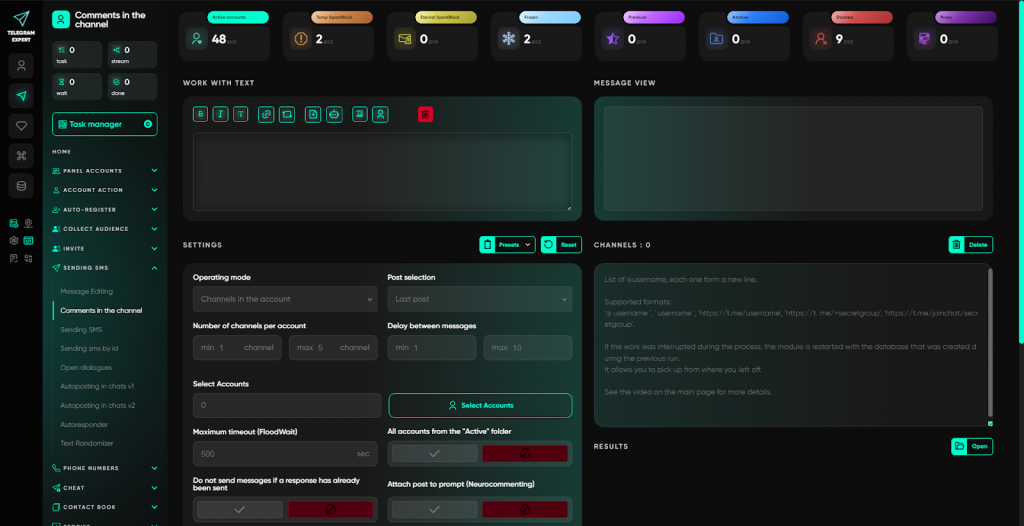
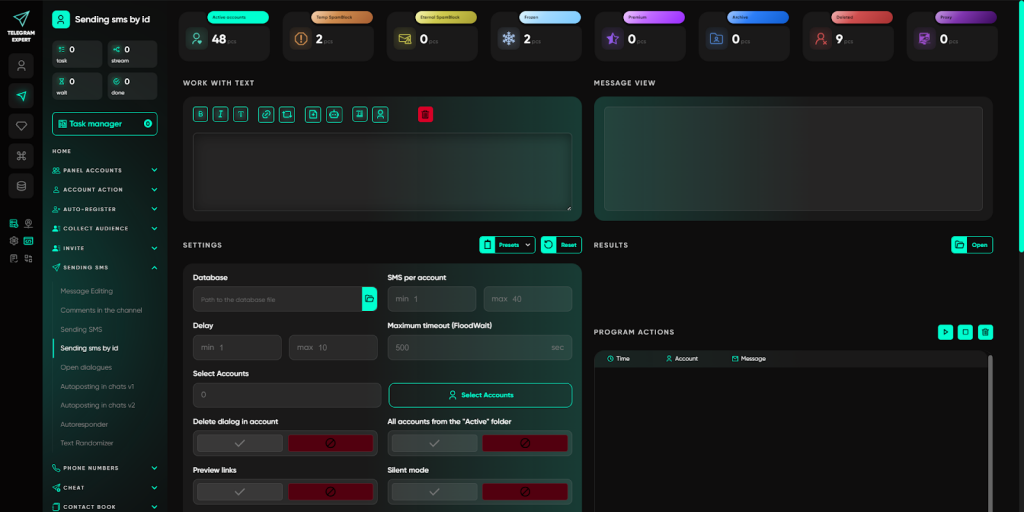
Thanks to these modules, messages look natural, accounts live longer, and communication becomes similar to live interaction rather than a spam attack. This lowers risks and increases response, even at large volumes.
Step 7. Treat phone numbers as an asset
If you have a database of numbers, that is not yet an audience. Without preliminary checks you will waste resources on non-existent or inactive accounts, and attempts to invite or message at random will lead to limits. In manual mode it is impossible to filter numbers and collect data at scale.
In Telegram Expert, work with numbers is built as a separate direction: you do not just use the database - you bring it into a working state.
Key modules of the section:
- Number Checker - checking phone numbers for whether there is an account in Telegram. Shows first name, last name, username, online status, and last activity time.
- Invite by numbers - inviting users to chats and channels based on a phone-number database. Before adding, you can filter out inactive and unregistered contacts.
- Sending by numbers - mass messaging to phone numbers when there are no usernames or when precise recipient identification is required.
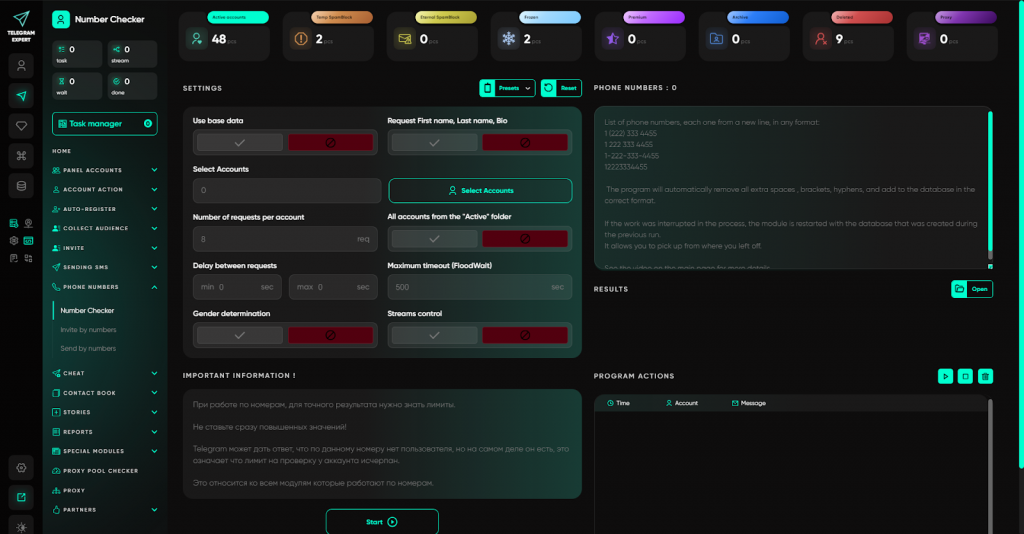
Cold databases stop being dead weight. You get up-to-date data, filter out empty numbers, and start working only with those who are actually in Telegram. This turns a simple list of digits into a ready-to-use resource.
Step 8. Reach a warm base from contacts
Working with contacts in Telegram often falls out of automation. Adding numbers one by one, manual deletion, inability to synchronize address books between accounts - all this creates chaos and prevents using contacts for safer messaging and invites.
In Telegram Expert, the “Contacts Book” section turns contact work into a controlled process:
- bulk adding contacts by numbers with the ability to set first and last name;
- deleting all or selected contacts with one action;
- exporting the address book for analysis or transfer;
- sending messages to contacts - a more native channel with lower risks;
- inviting contacts directly into chats and channels without uploading databases.
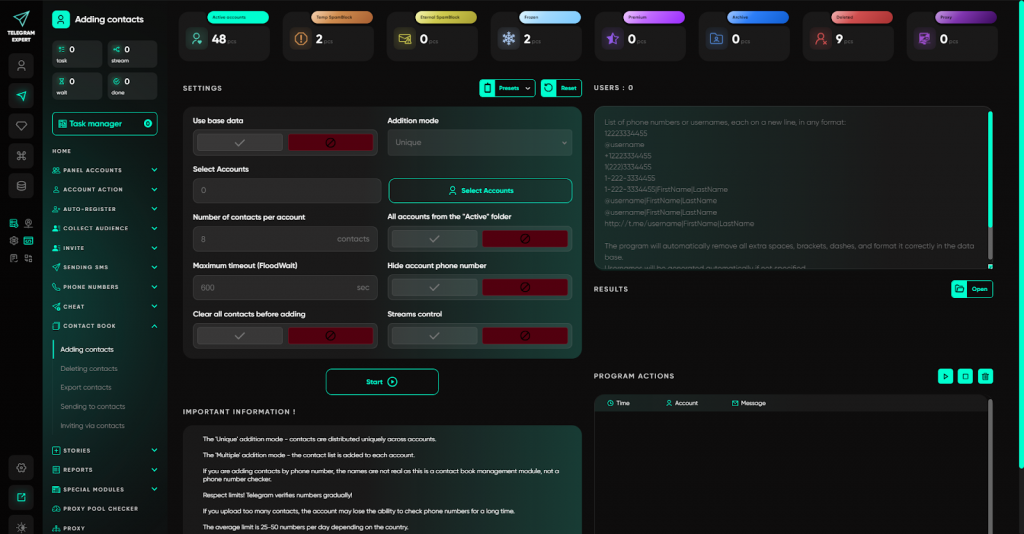
You get a clean, manageable database through which you can build trust-based communication without fearing spam blocks.
Step 9. Stories: working with Telegram stories
Stories in Telegram are becoming an increasingly in-demand tool, but manual posting, commenting, and deleting dozens of stories takes time, and the built-in capabilities are not designed for mass work.
In Telegram Expert, the Stories module automates all operations with stories:
- publishing stories on accounts taking mobile specifics and Premium requirements into account;
- sending comments to users’ stories (a message with quoting);
- exporting links to stories for quick availability checks;
- bulk deleting published stories.
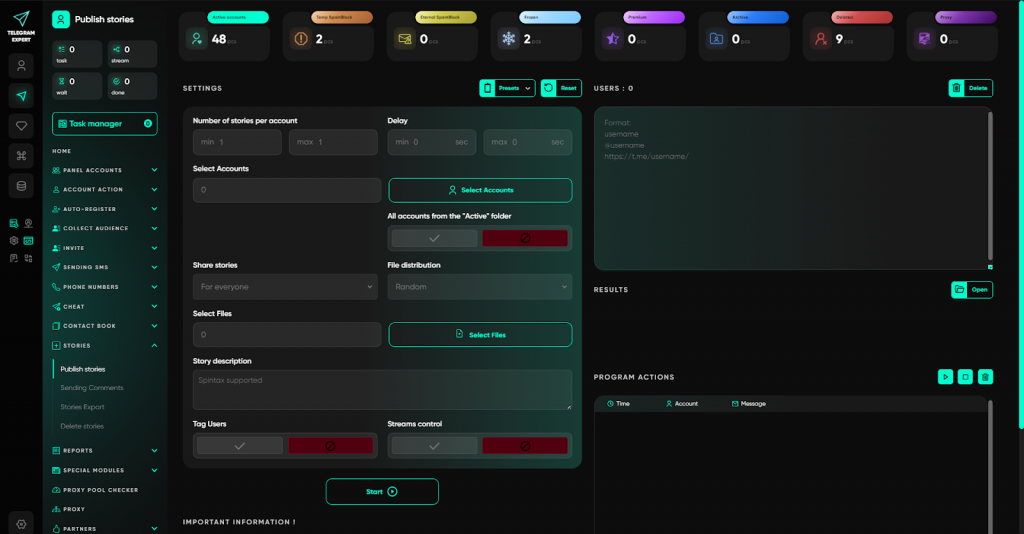
This lets you manage stories as systematically as other communication channels: publish, comment, clean up - without logging into every account and wasting time.
Step 10. Support activity and test hypotheses
At the start, projects look empty - that reduces trust. A channel without views, a chat without members, a bot without subscribers does not make people want to join. Warming up metrics manually is pointless: too slow and resource-intensive. Using third-party services is often out of sync with core tasks and creates extra risks.
In Telegram Expert, the “Boosting” module covers this stage entirely inside one system, without external services.
Key capabilities of the section:
- Mass subscriptions - automatic joining of accounts to channels and chats for building a base or for tests.
- Reactions - adding emoji under posts to increase visible activity.
- Views - increasing post views (from accounts or via proxies without accounts).
- Bot referrals - adding subscribers and referrals to Telegram bots via referral links.
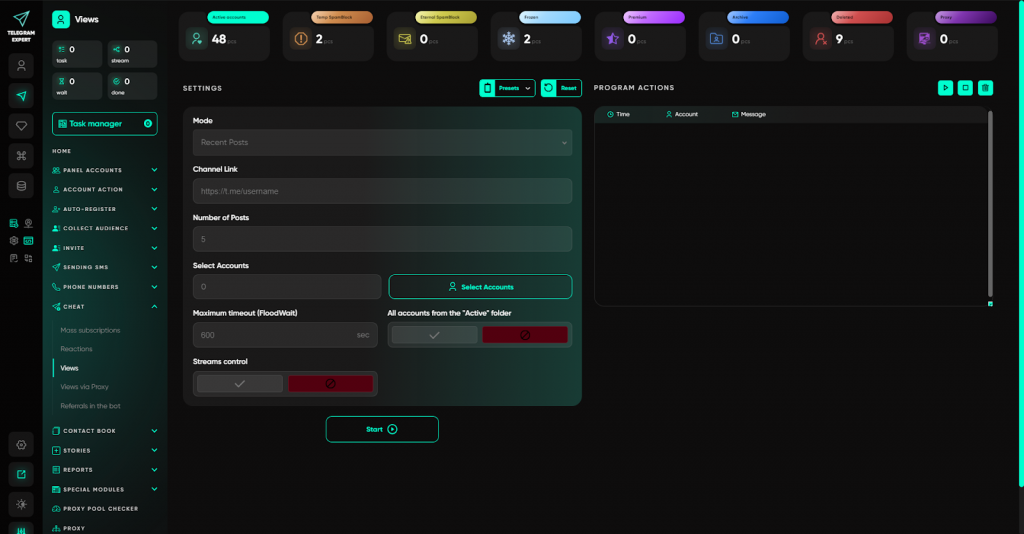
You manage metrics at all stages: from initial warm-up to hypothesis testing and supporting activity in working projects. Projects stop looking dead, trust grows, and you get clean data for decision-making.
Step 11. Analytics and control of results
Without numbers, scaling turns into chaos. When several scenarios are running, dozens of accounts are involved, and databases with thousands of contacts are collected, it is impossible to determine by eye what brings results and what only burns resources. In manual mode, collecting statistics is a separate job that either is not done at all, or is done after the fact, when the data no longer affects decisions.
In Telegram Expert, the “Reports” section provides a transparent picture of every action.
Key modules of the section:
- Report Generator - generating final data on mailings and invites based on the software statistics. You can see how many messages were delivered, how many users were added, and which accounts worked without errors.
- Database merge - combining results from different tasks into one database. Simplifies working with data when you need overall project statistics.
- Calculator - counting the number of mailings and invites performed by each account. Helps control load, not exceed limits, and distribute tasks evenly.
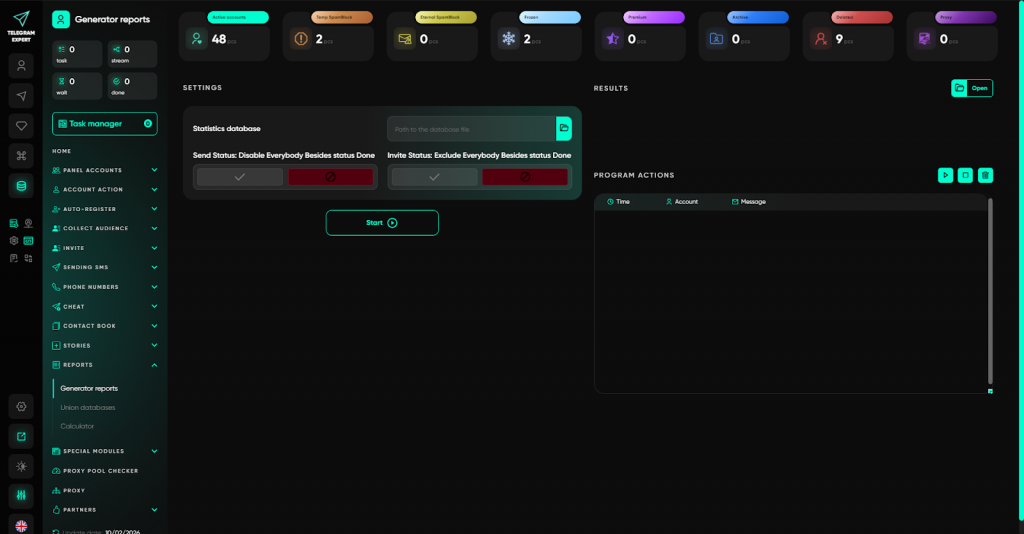
You do not guess - you know exactly what works and what burns resources. Reports help adjust strategy in real time, rather than analyzing mistakes after losing accounts. Scaling stops being chaos and becomes manageable.
Step 12. Proxies: managing IP addresses
Chaos with proxies is one of the main reasons for unstable work. Accounts get restrictions, sessions fail, tasks break. Without controlling IP uniqueness and flexible routing, even good proxies do not deliver results.
In Telegram Expert, proxy work is built as a separate management layer:
- adding and bulk checking proxies with response-speed assessment;
- pool checker - analyzing IP uniqueness and overlaps in rotating and sticky proxies;
- flexible connection modes: from strict binding to an account to auto-selection by geo with backup lists;
- configuring timeouts and number of attempts for stable work in any regions.
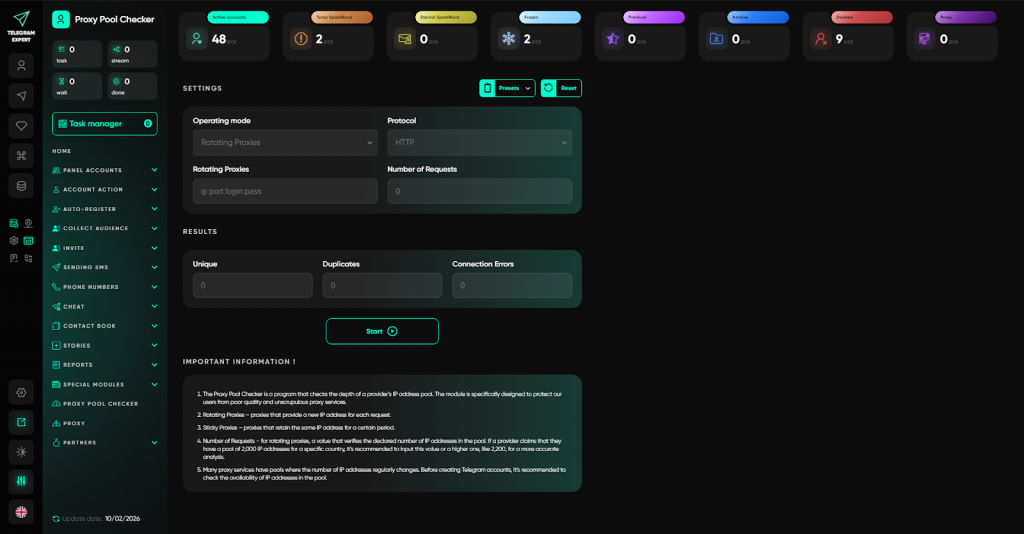
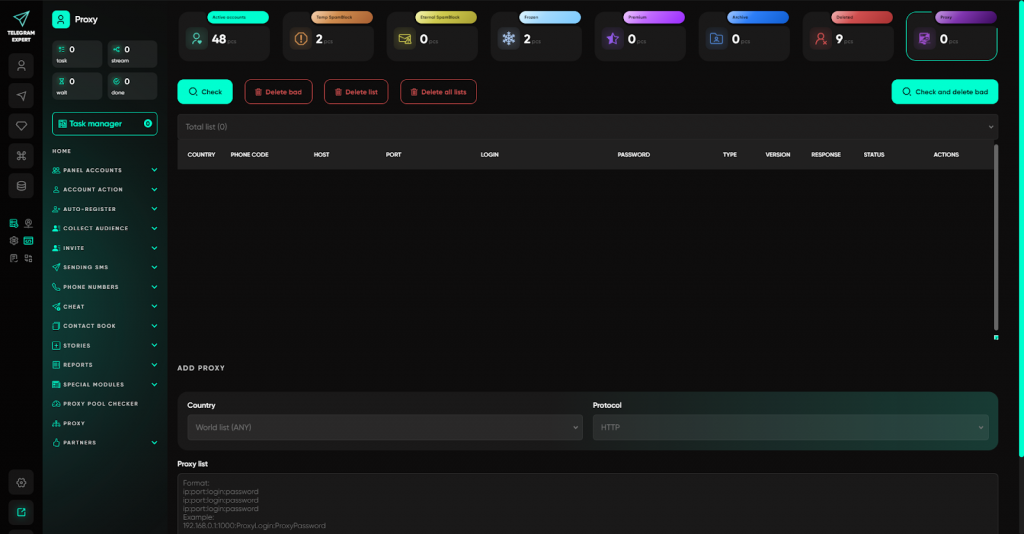
With this approach, accounts work through unique addresses, overlap risks are minimized, and the infrastructure withstands scaling without losing stability.
Step 13. Taking work to the next level - Telegram Expert for professionals
Basic functionality is often enough for typical scenarios. But when non-standard tasks appear - deep automation, working with sessions, cloning content, warming up accounts - standard tools are no longer enough. Manually, this is either impossible or requires weeks of setup.
In Telegram Expert, special modules are provided for such cases:
- Session ↔ TData Converter - two-way session conversion with 2FA preserved.
- Session Duplicator - creating additional copies for mobile clients.
- Account Booster - automatic warm-up through mutual communication.
- Message Forwarder - collecting incoming messages into one chat.
- Content Interceptor - monitoring by trigger words.
- Channel and Chat Cloner - copying content.
- Reporter - mass complaint sending.
- Shadow Sessions - managing hidden sessions not visible in Telegram.
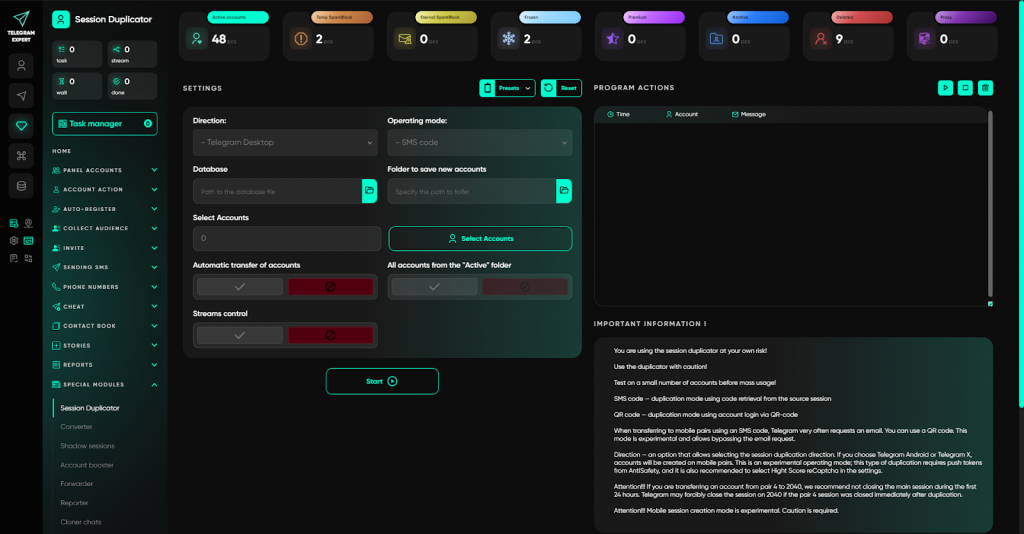
These tools turn Telegram Expert into a full-fledged platform for professionals, where tasks of any complexity are solved.
Why Telegram Expert is worth choosing
Telegram Expert is a product backed by a real team and real practice:
- more than 6 years of active development,
- more than 10,000 users worldwide,
- its own ecosystem of tools,
- training materials and documentation,
- a community and forum,
- support that helps build processes rather than replying with templates.
Telegram Expert is a system that constantly adapts to Telegram changes.
Conclusion
Telegram Expert is a tool for those who work with Telegram seriously and for the long term.
When volumes grow, mistakes become expensive, and manual work stops being effective, you need software that takes routine on itself, provides control, and lets you scale safely.
Telegram Expert does exactly that.
Stop losing accounts, time, and money because of chaos. Join Telegram Expert and build systematic, scalable work today.
Start working with Telegram professionally.