
How to connect mobile proxies to the Dolphin Anty antidetect browser
Dolphin Anty is one of the most widely used antidetect browsers among arbitrage teams and multi-accounting operators. It spoofs all key digital fingerprint parameters: WebRTC, Canvas, WebGL, Client Rects, timezone, language, geolocation, as well as CPU, memory, screen resolution, media, and device ports. It reliably passes Pixelscan, CreepJS, and other detection scanners.
But an antidetect browser only works properly paired with a clean proxy: you can mask the fingerprint, but a "dirty" IP will still get the platform flagged. That's why every profile needs its own proxy with stable uptime and a clean subnet. Below is how to connect a KeyProxy proxy to Dolphin Anty.
Step 1. Copy your proxy details from the KeyProxy dashboard
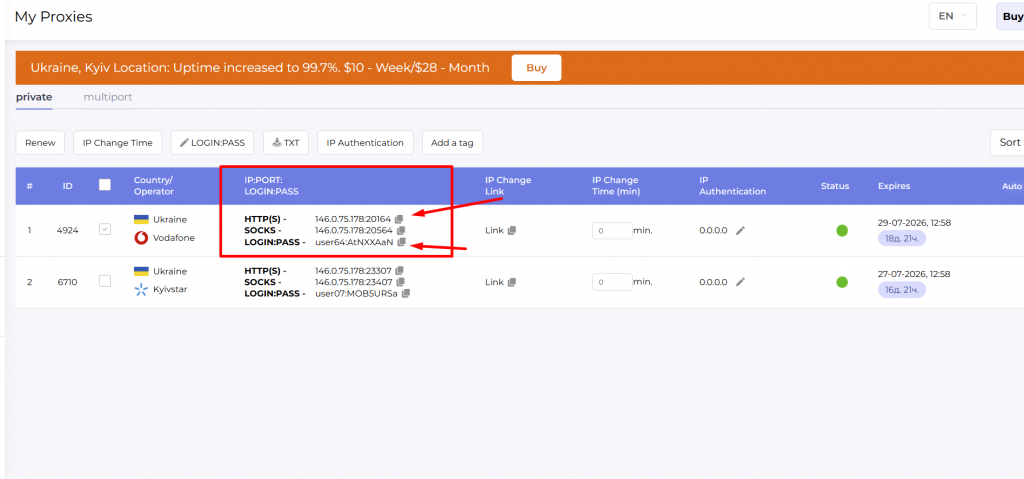
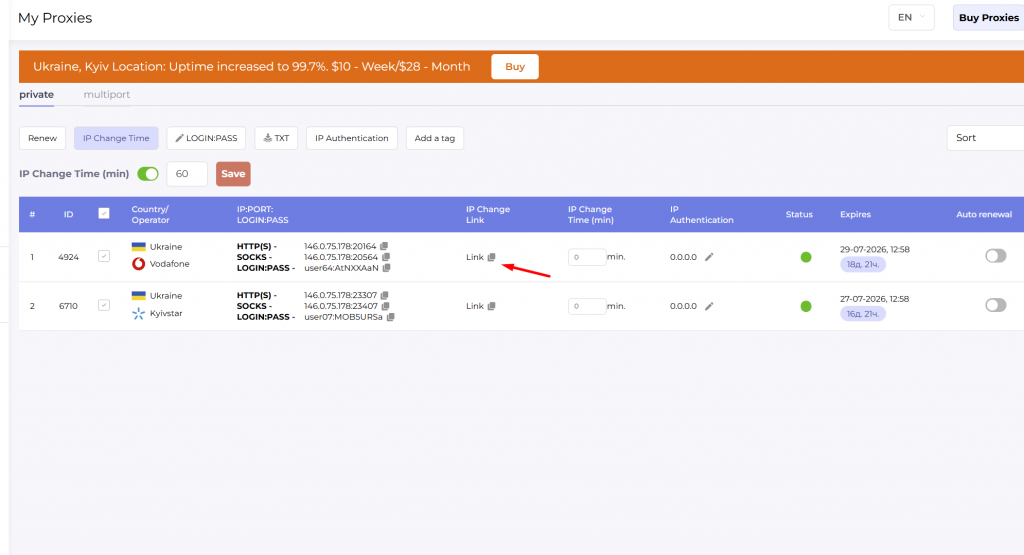
Log into your KeyProxy dashboard and open the "My Proxies" tab. Choose a protocol — HTTP(S) or SOCKS5 — and copy the address plus login:password with one click.
After clicking "Copy" you'll get:
146.0.75.178:20164 — address for HTTP(S)
146.0.75.178:20564 — address for SOCKS5
user64:AtNXXAaN — LOGIN:PASS
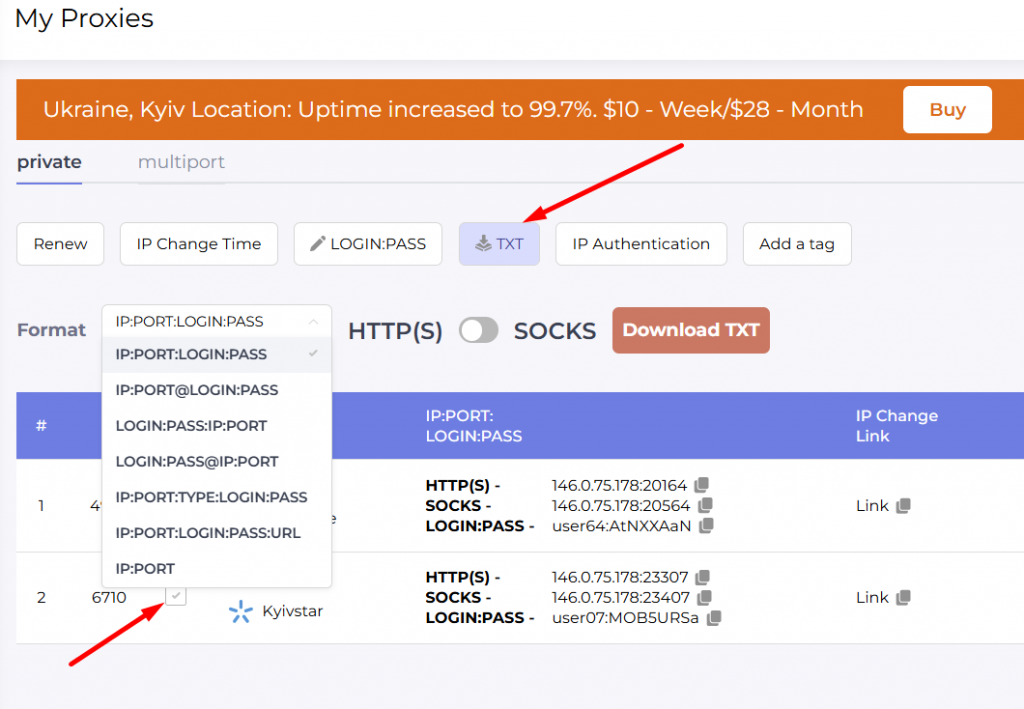
You can also export your proxies as a text file in the format you need: check the boxes next to the proxies you want and select an export format.
Don't have a proxy to test with? KeyProxy support issues trial access for Ukrainian (Kyiv) or US proxies via Telegram — message us, tell us your target geo and use case, and support will set up trial access.
Step 2. Open the proxy section in Dolphin Anty
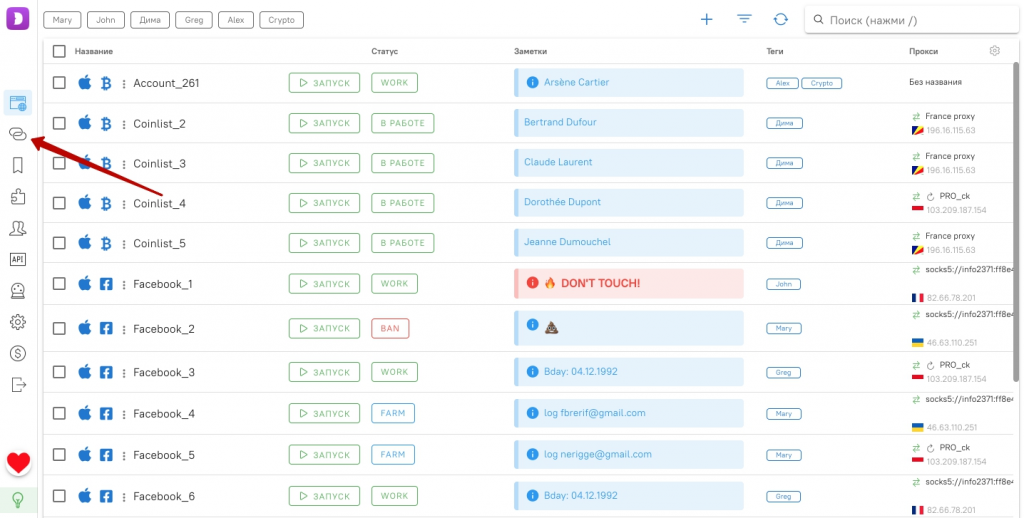
Launch Dolphin Anty and click the proxy icon on the side panel.
Step 3. Add the proxy
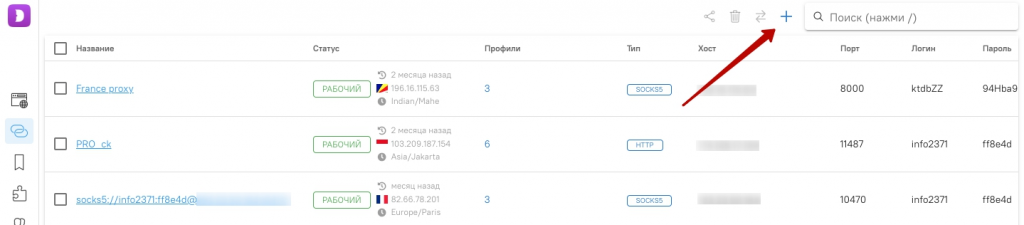
Click the "+" button in the top right corner.
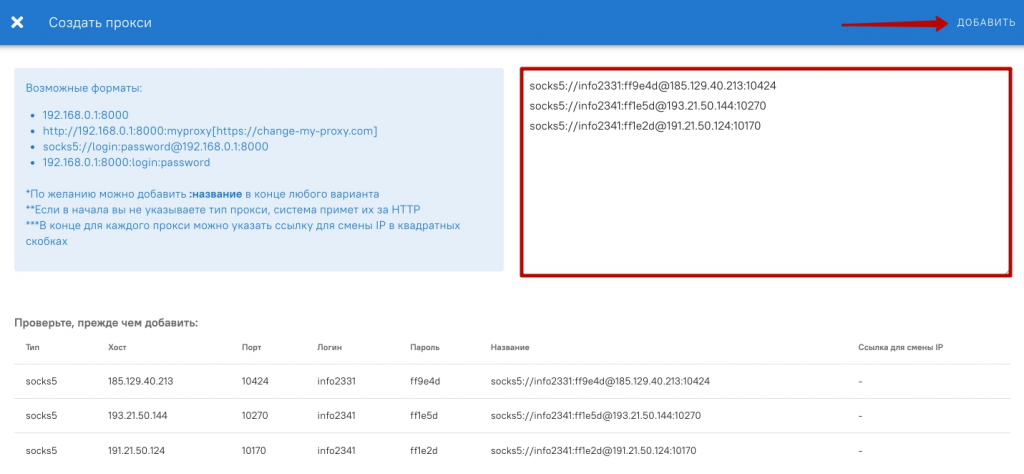
In the window that opens, enter the proxy address and login:password into the corresponding fields. To add multiple proxies, list them one per line. Click "Add".
Step 4. Set up IP rotation
KeyProxy proxies are dynamic — you can change the IP directly from Dolphin Anty's interface without logging into the dashboard. To do this, add the rotation link in the proxy settings in the browser.
Copy the rotation link with one click from your KeyProxy dashboard page.
Step 5. Test the proxy with the built-in checker
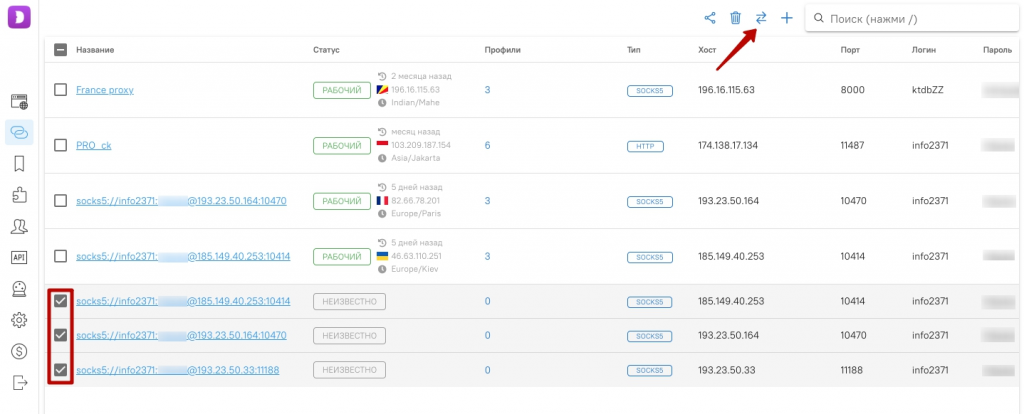
Click the check button to run the proxy checker. Select the checkbox on each added IP to test them all at once.
Working proxies will show a "Working" status.
Step 6. Change the IP in your profile
You can now change the proxy IP directly from the browser. Click the rotation icon on the main profiles screen.
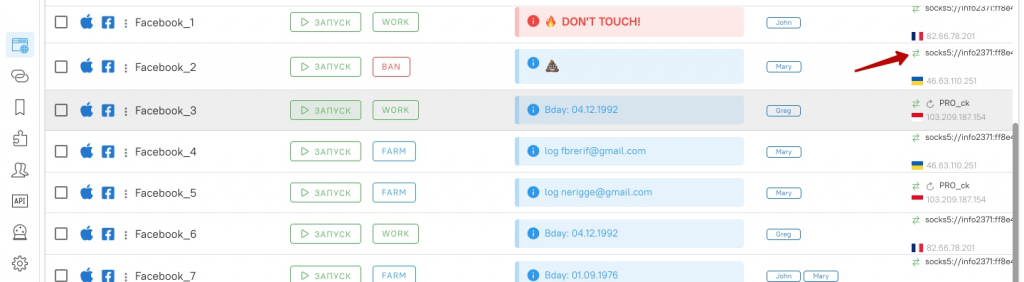
That's it — setup complete. For multi-accounting, stick to the rule "one profile — one proxy": that way, the Dolphin Anty fingerprint and the clean KeyProxy IP work together properly.
Want to test it on your own workflows? KeyProxy support issues trial access to mobile proxies — Ukraine or USA location — via Telegram. Follow this link and test for free.