

AdsPower Browser Anti-Detection Review: Features, Pricing, and Reviews
Anti-detection browsers often spark heated debate on forums and in online communities. Professionals in e-commerce, marketing, and social media management debate their effectiveness and security, with AdsPower often standing out as one of the best options. This review details AdsPower, a browser designed for efficient and secure account management, covering its features, pricing, and use cases.
What is AdsPower anti-detection browser?
AdsPower isn't just an anti-detection browser, but a comprehensive tool for managing multiple accounts with a high level of security. Whether you manage multiple online stores, launch affiliate or advertising campaigns, or manage social media, AdsPower ensures each profile operates in a separate and secure environment. By simulating unique browser fingerprints and supporting advanced proxy integration, AdsPower reduces the risk of account detection and blocking, giving users peace of mind.

Key Features of AdsPower
- Managing multiple accounts: Manage multiple accounts across multiple platforms simultaneously. You can group profiles for easy organization.
- Setting up browser fingerprints: Simulate unique browser fingerprints to avoid detection.
- Proxy integration: Easily integrate proxies for enhanced security.
- Teamwork: Share access and manage tasks within your team securely.
- RPA: Automate routine tasks like logging in, liking, and posting.
- Window Synchronizer: Sync actions across windows to streamline your workflow.
- Local API: Support various code frameworks and ensure smooth operation of web scraping projects without blocking.
Pros and cons of AdsPower
Pros:
● User-friendly interface suitable for beginners.
● Extensive customization options for browser fingerprints.
● Reliable multilingual customer support and documentation.
● Support for a wide range of proxies.
● Stability and high level of security.

Cons:
- Using advanced features requires some training time.
AdsPower Pricing
AdsPower offers flexible tariff plans:
- Free Lifetime Plan: Includes 1 super administrator and 2 profiles.
- Professional Plan: Starting from $9 per month for individuals or small teams. Get a 40% discount on the annual plan.
- Business plan: Individual pricing for businesses based on the number of profiles and team members.
AdsPower Review: AdsPower Reviews and Ratings
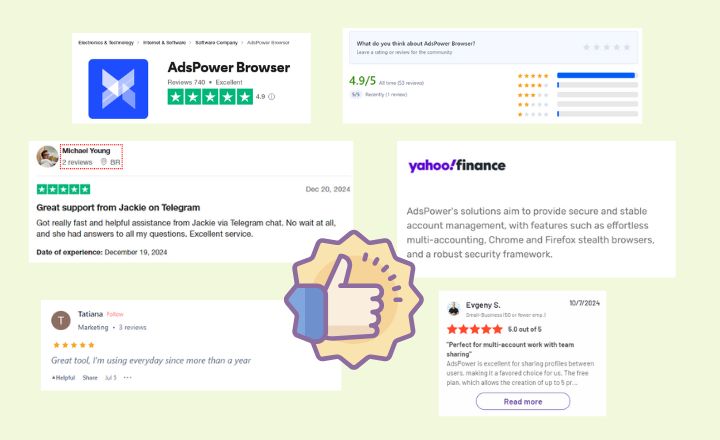
- Trustpilot: 4.9/5
- Product Hunt: 4.9/5
- G2: 4.7/5
User and media reviews:
- "I received excellent support from Jackie and another representative the next day. They answered all my questions quickly and accurately. I'm planning to use AdsPower as my browser and will leave another review when I get started." User review on Trustpilot.
- "My Brazilian friends and I actively use AdsPower and we love it. It's the best option out there right now, secure and affordable for all countries, with fast support. I highly recommend it!" User review on Product Hunt.
- "AdsPower is an anti-detection browser that creates separate browser environments with unique fingerprints. It's ideal for working with online advertising, affiliate marketing, cryptocurrency, betting, e-commerce, and traffic." —Media review on Cryptomus.
What is AdsPower used for?
Now that you've read the detailed review above, you can see what AdsPower is used for. This tool is versatile and suitable for a variety of industries and use cases:
- E-commerce:Manage multiple seller accounts on platforms like Amazon, eBay, and Shopify.
- Affiliate marketing:Protect your campaigns by managing multiple ad accounts.
- Social Media Management:Manage multiple accounts on Facebook, Instagram, and TikTok without risking suspensions.
- Traffic arbitrage:Expand your opportunities and income across various platforms and websites.
- SEO and SERP:Monitor your website's ranking in different countries and regions.
- Web scraping:Collect data and test strategies safely, without risk of detection.
- Cryptocurrency: Manage your wallets and conduct transactions securely.
- Rates:Participate in various bidding campaigns, synchronize and automate the bidding process, and track results.
Is AdsPower a safe browser?
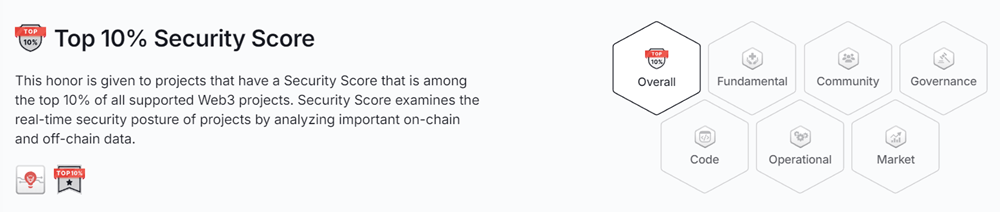
Security is a priority for AdsPower. The browser has passedCertiK security auditand received a top 10% security rating among all supported projects. Also throughbug bounty programsSpecialists are engaged to identify and fix vulnerabilities, ensuring the protection of user data.
On the other hand, the AdsPower browser uses advanced encryption and fingerprint management to protect user data. Here are the key security features:
- Browser Isolation:Each profile operates independently, ensuring that data does not overlap.
- Data encryption:Protect your login credentials, browsing activity, and sensitive information with data encryption at all stages—transmission and storage. Your data remains on your device and is synced only with your permission.
- Exact permissions for the profile:Easily control access. AdsPower offers individual user permissions, two-factor authentication, alerts for unusual logins, and activity tracking for secure team collaboration and multi-account management.
- Secure access:Use HTTPS when possible and receive warnings before loading sites that do not support HTTPS.
AdsPower also has a dedicated team that monitors security and regularly updates the platform to combat new threats. It is considered a safe and reliable anti-detection browser.
How to use AdsPower anti-fingerprint browser formulti-account?
Step 1: Download and register with AdsPower
Download and install the AdsPower browser on your computer. Then register using your email or link your phone number.
AdsPower offers a free lifetime plan with 5 profiles. If you need more, subscribe toprofessional or business plandepending on your needs.
Step 2: Create profiles for your accounts
Method 1. Setting up one by one
- Click "New Profile".
- Fill in the following information one by one: name, browser and kernel (Chrome or Firefox), OS version, UA, group, cookies, proxy, platform (or with account and password), WebRTC, time zone, location, language, etc. Here, we recommend setting up each account with a proxy and a unique fingerprint in the AdsPower browser.

Method 2: Bulk creation and categorization
- Click the "+" button.
- Go to "Creation Method" and try "Bulk Import", "Quick Create" or "Profile Migration". Functionmass productionSupports up to 1,000 profiles at a time.
- For "Bulk Import", you can upload information using a template in Excel or TXT format.

Step 3. Launching profiles
- Once created, profiles can be launched individually or in batch mode. Click "Open" to begin.
- For some repetitive tasks or regular actions, Synchronizer and RPA are great helpers.
-- Synchronizer: Synchronize the same actions on different profiles at the same time.
-- RPA: Without having to click and scroll one by one, simply activate a process to automatically warm up your account or perform a series of tasks.
After completing a task, you can choose to close the profiles or set up scheduled tasks to re-run them at your discretion. Furthermore, you can monitor team activity through activity logs, including login logs, IP logs, open logs, profiles, proxies, and more. This helps you check for abnormal activity and issues.
Frequently Asked Questions:
Does AdsPower hide IP?
AdsPower allows users to hide their IP addresses by integrating various proxy services. By masking your IP, this helps ensure anonymity and avoid detection by platforms.
How to use proxies in AdsPower?
There are two ways to use proxies in AdsPower:
Method 1: Go to "Proxies" and click "Add Proxy." Then copy the proxy information into the empty field on the right. After verification, the proxy will appear in the list below.
When creating profiles, you can select proxies from "Saved Proxies".

Method 2. Setting up a proxy in "Create Browser Profile".
- Create a new profile and set up your information.
- Go to "Proxy" and enter the proxy details, including proxy type, IP check, host:port, name and password.
